AI virtual try-on for Shopify
This is your customer, wearing your product.
One photo from her, one product photo from you. Her face, her body, her pose — kept exactly as they were. That likeness is the hard part of virtual try-on, and it is the part Luro is built around.
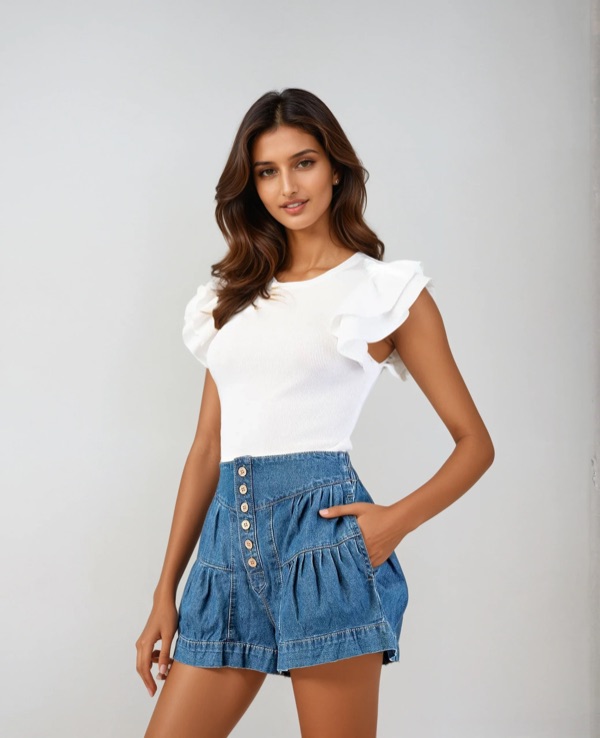 Her photo
 Luro’s output
Setup
Nothing to build, nothing to tag.
Try-on usually means commissioning 3D garments and tagging a catalogue by hand. This is the whole of what Luro asks of you.
-
Install, then switch on the embed
Luro is a theme app embed. There is no theme code to edit and nothing to paste into a template.
-
Luro reads your catalogue
It works out which products are clothing or eyewear from their titles and descriptions. This costs no credits.
-
Correct it where it matters
Supported products get try-on switched on for you. Change a category or turn a product off, one at a time or in bulk.
On your product page
What your customer does.
No app to download, no measurements, no account. The whole thing happens in a modal on the page she is already looking at.
-
Taps Try on
The button sits on the product page, under the price.
-
Picks one photo
A mirror selfie is enough. Nothing else is asked of her.
-
Drags to compare
Her photo on one side, wearing your piece on the other — and she decides.
Straight answers
The things you were about to ask.
- What happens to the shopper’s photo?
- It is held as a temporary file for as long as the try-on takes, then deleted. It is never written to our database. It is sent to the AI provider to do the generation, and nowhere else.
- Which products can it actually do?
- Clothing and eyewear today. Other categories are recognised but the button stays hidden until the results are good enough — so a shopper never sees a try-on we can’t do well.
- What if a generation fails?
- The credit is reserved when the job starts and returned if it fails. You are not charged for a result you never got.
- Will it slow my product pages?
- The widget loads no third-party fonts and no third-party scripts, so it adds no requests to anyone else’s servers. The generation itself runs off the page, after she asks for it.
Pricing
Free to install. Pay for what you use.
Installing Luro costs nothing — you pay only when a shopper actually tries something on. One try-on is one generation. Packs never expire, there is no monthly commitment, and the rate falls as the pack grows.
-
100Generations$0.144 each$14.40
-
500Generations$0.120 each · 17% less$60.00
-
1,000Generations$0.096 each · 33% less$96.00
-
10,000Generations$0.084 each · 42% less$838.80
A hundred try-ons cost $14.40. Work out what one returned garment costs you once postage both ways, restocking and the lost sale are counted — then decide which number you would rather pay.
Charged once through Shopify Billing, on the invoice you already receive from Shopify. Prices in USD.
Get started
Add the fitting room to your store.
Install from the Shopify App Store, turn on the app embed, and pick the products that should offer try-on.